
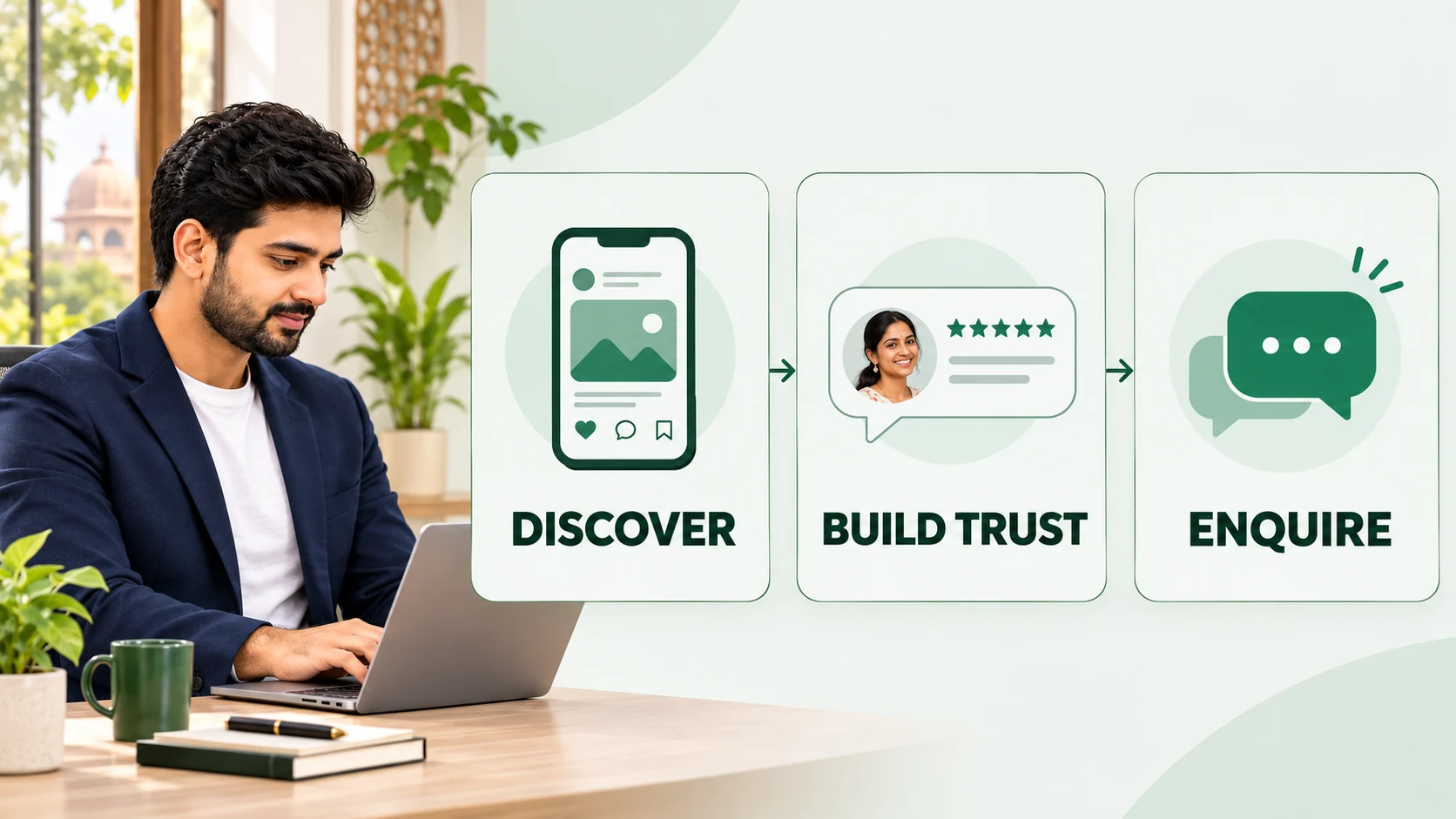
A Bengaluru interior design studio posts a beautiful room reveal. Someone saves it, watches a short walkthrough, checks the studio’s past projects and then asks for a consultation. The post created interest; the proof and the next step turned that interest into an enquiry.
That is a more useful way to plan social media marketing for an Indian business than chasing a follower target. The goal is to help a suitable customer understand what you do, believe you can deliver it and know how to contact you. A local showroom, school, hotel or B2B supplier will use different examples, but the decision path is similar.
Social content is part of discovery, even beyond the social app.
People may first meet a business in a feed, a platform search or a Google result. In July 2026, Google introduced Search Console platform properties to show how eligible Instagram, YouTube, TikTok and X content performs on Google Search. That reporting makes cross-platform discovery easier to observe; it does not promise that a post will rank. Google’s current help page also says account availability may vary during rollout. Read Google’s announcement ↗
Start with a buying question
“Can this studio design a compact apartment within my budget and timeline?” Show a relevant project, explain the process and give the viewer a clear way to ask about their own space.
Platforms also continue to reward useful experiences for their own audiences. Meta has explained its emphasis on original content in Facebook recommendations, while YouTube says Shorts discovery depends on viewer interests and performance rather than a fixed posting quota. These are platform signals, not a universal recipe. See Meta’s originality guidance ↗ See YouTube’s Shorts guidance ↗
Pick channels that fit how your customers decide.
You do not need to publish everywhere. Choose a primary channel based on your audience and the proof your business can show consistently. Add a second channel only when your team can adapt the content for it.
Show spaces, products, people and short demonstrations when visual evidence helps customers shortlist you.
Explain a process or answer a question that benefits from a walkthrough, tutorial or longer demonstration.
Share expertise, project decisions and practical insights when buyers are businesses or professionals.
For the design studio, Instagram might show completed rooms and project details. A manufacturer selling to procurement teams may get more value from a clear LinkedIn case study. LinkedIn itself recommends sharing practical, actionable content and checking page analytics to see what resonates. Read LinkedIn’s Page guidance ↗
Give every post a clear job.
A strong content plan mixes four kinds of useful material. Answer the questions prospects ask before buying. Show the real product, service or process. Prove outcomes with permission-cleared examples. Invite the next step when the viewer is ready.
Capture material during real work: a question from the sales team, a process step, a before-and-after view where accurate, or a customer-approved result. The same raw material can become a short video, a carousel and a more detailed website page, but adapt the message to each format. Avoid publishing a generic AI-generated claim that your team cannot verify.
Obtain consent before using a customer’s image, private message or project details. If a result is unusual, say what made it possible instead of presenting it as typical. Specific, honest proof is more persuasive than polished but empty praise.
Make the subject of each post obvious.
Use a recognisable business name and profile description, then make the post itself clear. Lead a video or carousel with the customer problem. Name the service, product or place naturally in the caption. Add readable on-screen labels and captions where they help someone understand the content without sound. Use relevant hashtags as context, not as a substitute for a useful post.
For YouTube Shorts, Google says search discovery can consider whether metadata matches a viewer’s query and whether viewers click and watch. It also says there is no minimum posting cadence required for a Short to perform. Put effort into a clear topic and a strong demonstration before increasing volume. Read YouTube’s search and discovery tips ↗
Keep the website link, phone number, location and offer current across the places where customers check you. Social content can start a conversation, while a helpful service page can answer the detailed questions that do not fit into a short post. See our guide to local SEO and AI search ↗
Make it easy to move from interest to enquiry.
A call to action should fit the post. A project walkthrough can invite viewers to see the full case study. A pricing explainer can link to a page describing the quote process. A ready-to-buy post can ask for the details your team needs to respond helpfully.
One clear route
Point to one relevant page, form, call option or message channel.
Useful first reply
Ask for the details needed to guide the customer, then explain the next step.
Source context
Record which content or channel started the conversation when possible.
Test the path on a phone. If a viewer taps from the post to a slow page, a broken form or a generic homepage, the business loses a chance to continue the conversation. Have a person responsible for responding to enquiries; posting more often will not fix a neglected inbox.
Separate attention from business results.
Reach and views can show whether content is being seen. Saves, meaningful comments, profile visits and qualified messages can show growing interest. Enquiries, consultations and sales conversations show whether the content supports the business goal. Compare similar formats over time; one viral post is a poor benchmark for every future post.
If Search Console offers a platform property for your account, use it to inspect Google Search clicks and queries for the supported social profile. That report covers discovery on Google, not views inside Instagram or YouTube. Use it alongside each platform’s own analytics and your enquiry records. See Google’s platform-property help ↗
A manageable 30-day social media plan.
Write down one customer type, their buying questions and the channel they already use.
Gather approved photos, one project story and answers from the sales or service team.
Test a small set of useful posts and give every enquiry a timely, helpful reply.
Compare content signals with enquiries. Improve the strongest topic and fix the weakest step.
This is an editorial starting point, not a guaranteed posting schedule. Keep the pace your team can sustain. When a post attracts the wrong audience, revise the subject or offer before simply making more of the same.
Common questions about social media marketing.
How often should a small business post?
Post often enough to learn and respond consistently. There is no single frequency that works for every channel or business; a useful weekly series can be better than daily filler.
Do we need to be on every platform?
No. Start where your buyers look for the kind of evidence you can provide. Expand when the first channel has a reliable content and enquiry process.
Are views or followers the main measure of success?
They are useful context, but neither proves business value. Also review qualified messages, calls, form submissions and the sales conversations that follow.
Make social content part of a real customer journey.
Choose the right channel, answer real questions, show honest proof and make the next step simple. Then use customer conversations to decide what to publish next.
Plan your social media strategy ↗Platform details were checked against Google Search Central, Google Search Console Help, YouTube Help, Meta and LinkedIn on 10 November 2026. The design-studio example is illustrative. The cover is generated editorial artwork, not a client photograph or testimonial.